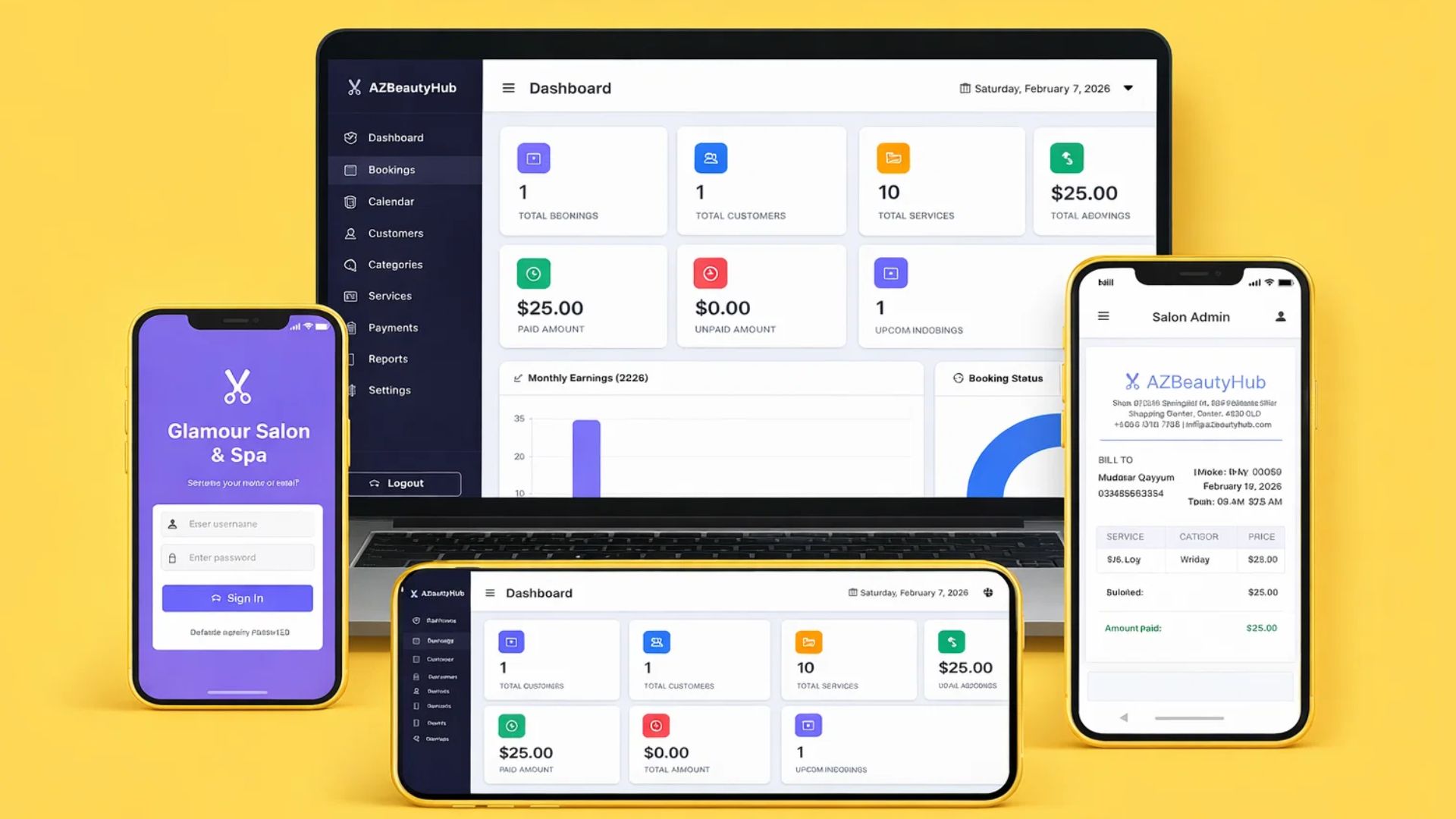
AI is changing the way developers build software. Tasks that once required hours of coding and debugging can now be completed much faster with the help of AI coding tools.
In this tutorial, we’re building a complete full-stack salon booking system using PHP, MySQL, HTML, CSS, and Bootstrap, with AI assisting in development. This project is designed to help students and beginner developers understand how real-world booking systems work.
Instead of learning concepts separately, you’ll see how everything connects in one practical application.
What You Will Build
In this project, you’ll create a fully functional salon booking system that includes both frontend and backend features.
The system allows an admin (salon manager or librarian-style operator) to manage customers, services, bookings, payments, and reports from a dashboard.
This is not just a UI design — it’s a complete working management system.
Prompt to Generate the Project
Below is the AI prompt you can use to generate the complete salon booking system project.
PROMPT START
Create a complete Salon Booking Management System using PHP (Core PHP, no frameworks), MySQL database, HTML, CSS, JavaScript, and Bootstrap 5. The system must be clean, modern, responsive, and structured using MVC-like folder organization.
USER ROLES: There are two roles: Admin and Customer (walk-in customer entered by admin). No public registration page required.
ADMIN AUTHENTICATION: Create a secure login system using PHP sessions, password hashing, and logout functionality. Admin must log in before accessing dashboard.
ADMIN DASHBOARD FEATURES: Dashboard must show total bookings, total customers, total services, total earnings, paid amount, unpaid amount, today bookings, and upcoming bookings. Use cards and charts if possible.
SALON SETTINGS MODULE: Admin can configure working days (Monday to Sunday toggle), working hours (opening time, closing time), and holidays (add holiday date, delete holiday date). Holiday dates should block booking.
SERVICE MANAGEMENT: Admin can manage categories (add, edit, delete; examples: Hair, Facial, Makeup, Massage). Admin can manage services (add service name, category, price, duration in minutes, description; edit and delete services).
CUSTOMER MANAGEMENT: Admin can add customer (name, phone, email optional, notes optional) and view customer list.
BOOKING SYSTEM: Admin can create booking from dashboard. Booking form includes customer selection or new customer, service selection, booking date, time slot selection, and notes.
TIME SLOT LOGIC: Time slots must be based on working hours and service duration, prevent double booking, exclude holidays, and exclude past time. Example: if service duration = 30 minutes, slots generated automatically.
PAYMENT MANAGEMENT: Each booking must store service price, amount paid, remaining balance, and payment status (Paid, Partial, Unpaid). Admin can update payment anytime.
REPORTING SYSTEM: Create reports for daily, weekly, monthly, and yearly reports including total bookings, total customers, total earnings, paid amount, and unpaid amount.
EXPORT FEATURES: Admin can export reports as PDF and Excel (XLSX or CSV).
DATABASE DESIGN: Create tables for admins, customers, categories, services, bookings, payments, holidays, and salon_settings with proper relationships and foreign keys.
UI REQUIREMENTS: Design must include modern admin dashboard, sidebar navigation, responsive layout, clean tables, and modal forms where appropriate using Bootstrap components.
SECURITY REQUIREMENTS: Include prepared statements (PDO or MySQLi), session protection, input validation, XSS prevention, and SQL injection prevention.
PROJECT STRUCTURE: Use structured folders /config, /admin, /customer, /includes, /assets, /uploads, /reports.
BONUS FEATURES (IF POSSIBLE): Booking calendar view, search bookings, filter by date, print invoice, email reminder (optional), dashboard charts.
Generate database schema SQL, all PHP files, CSS files, JS files, and sample data. The system must be runnable on XAMPP localhost.
PROMPT END