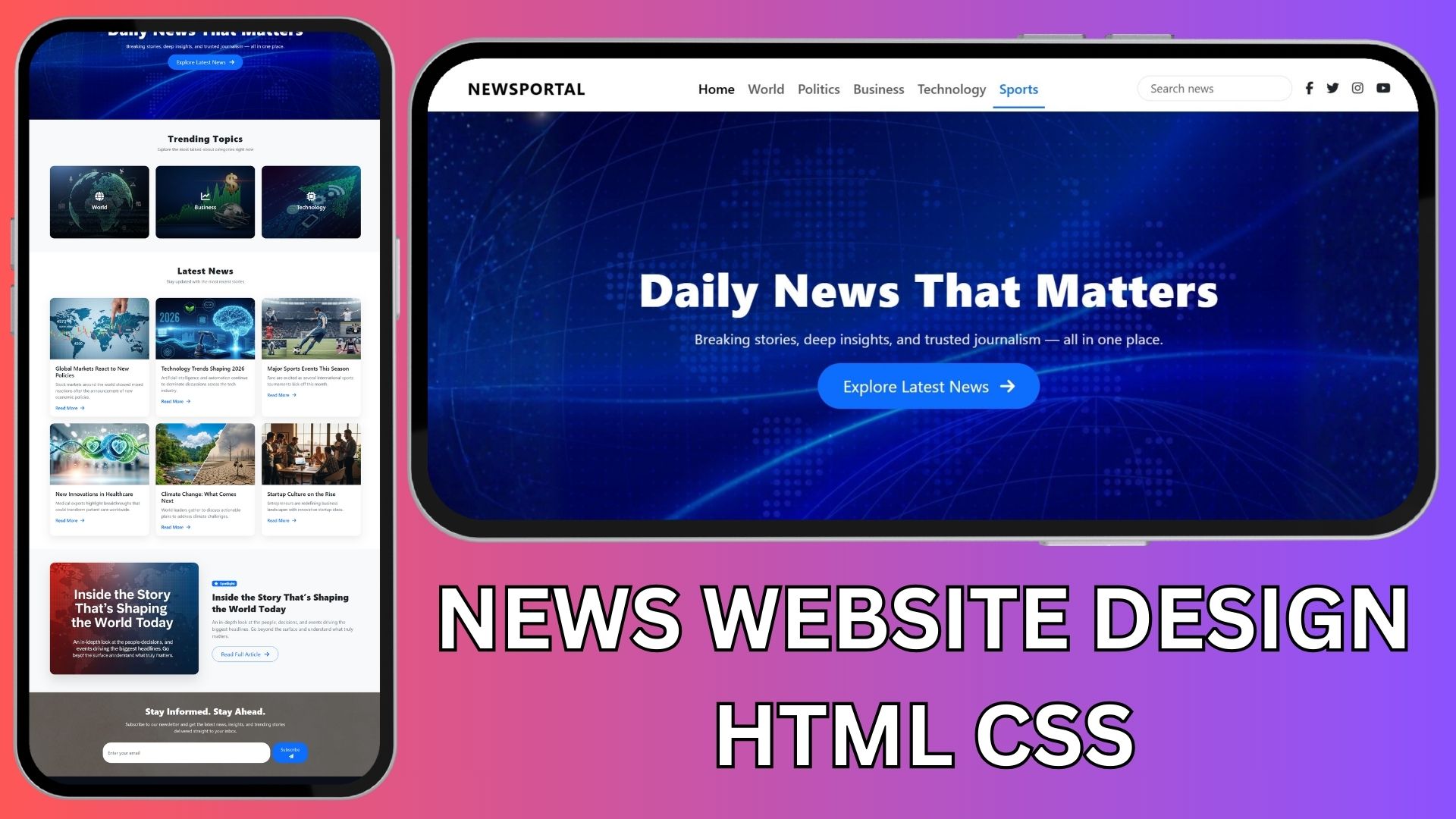
In this tutorial, I’m sharing a complete one-page News Website design built using HTML, CSS, and Bootstrap only. This project is perfect for beginners, students, and anyone who wants to practice modern website layouts without JavaScript.
I’m also providing the exact AI prompt I used to generate the design step by step, plus free source code that you can download and customize.
What You’ll Learn from This Project
-
How a modern news portal layout is structured
-
How to use Bootstrap for responsive design
-
How to add Font Awesome icons for social links and UI elements
-
How to use CSS animations to make a website feel modern
-
How to keep HTML and CSS clean and separate
Website Sections Included
This one-page News website includes the following sections:
-
Header with navigation menu, search bar, and social icons
-
Hero section with website title, tagline, and CTA button
-
Featured categories / trending topics
-
Latest news section with cards
-
Featured article / spotlight section
-
Newsletter signup section
-
Footer with quick links and social media icons
All sections are fully responsive and mobile-friendly.
AI Prompt Used to Generate the Website
You can use the prompt below in ChatGPT or any AI coding assistant to generate the website section by section.
Source Code (Free)
I’m providing the complete source code for this News website, including:
-
index.html -
style.css -
Proper Bootstrap structure
-
Font Awesome integration
-
Placeholder images (you can replace them easily)
Who Is This Project For?
-
HTML & CSS beginners
-
Students working on practice projects
-
YouTube learners
-
Anyone building a simple news or blog website
Final Words
This project is a great way to understand how modern news websites are designed using simple tools. Try changing colors, fonts, animations, or section layouts to make it your own.
If you found this helpful, don’t forget to share it and bookmark it for later 🚀
Happy coding! 💻✨