Creating a stylish restaurant website does not require complex frameworks or heavy JavaScript. In this tutorial, I’m sharing a complete approach to building a modern, visually attractive one-page restaurant website using HTML, CSS, and Bootstrap only.
This post includes:
-
✅ Full source code
-
✅ A powerful AI prompt you can reuse
-
✅ Clean structure suitable for beginners and students
-
✅ Fully responsive layout
-
✅ Easy image replacement system
You can use this project for practice, portfolios, college projects, or client demos.
What You’ll Build
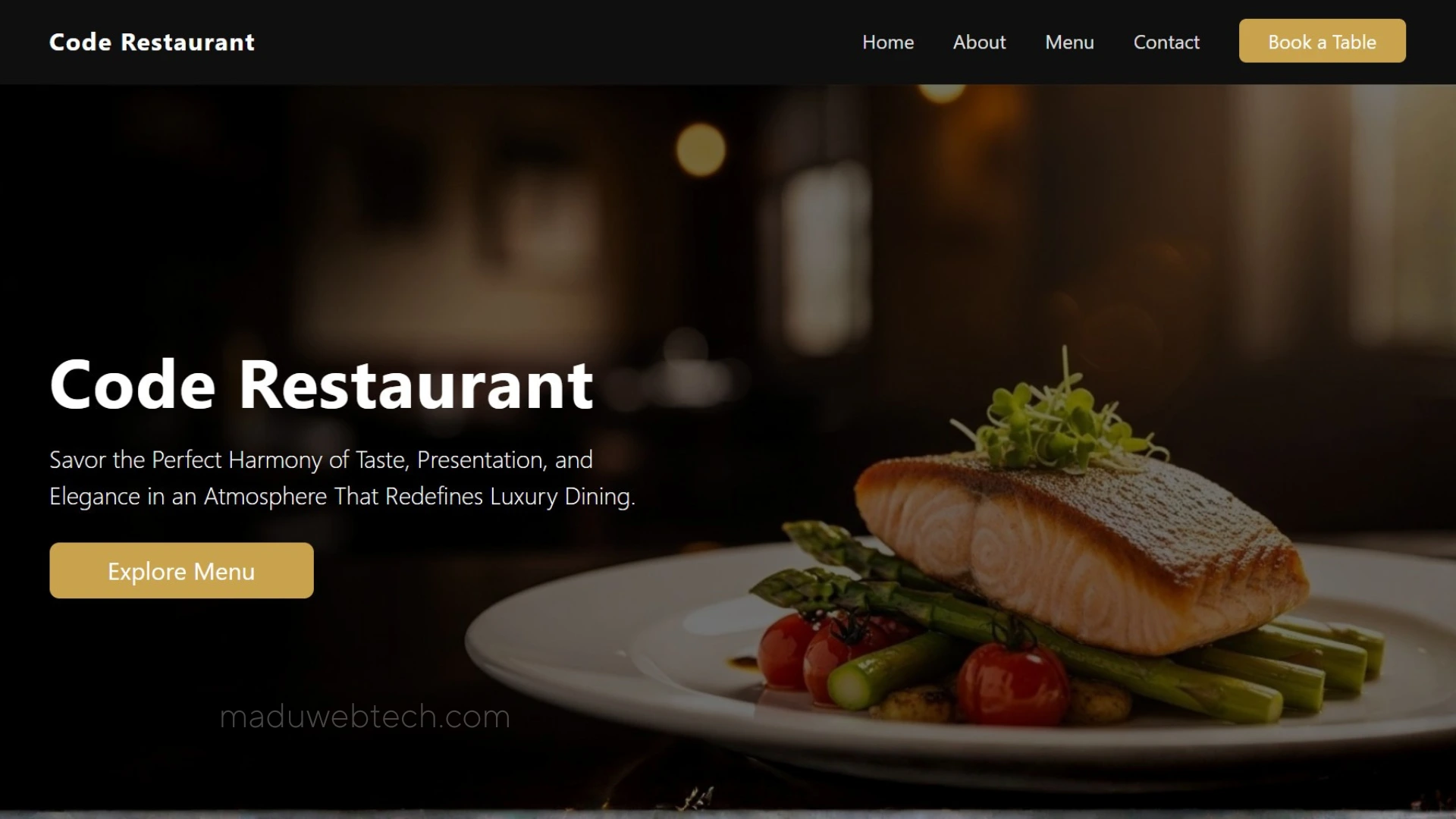
The final website is a one-page restaurant layout with a professional and modern look. It follows a proper section order and uses semantic HTML with Bootstrap for responsiveness.
Website Sections Included
-
Header (Bootstrap navbar with CTA button)
-
Hero section (restaurant name, tagline, CTA, background image)
-
About Us
-
Popular Dishes / Featured Menu (with popup image support)
-
Reservation / Order section
-
Footer
Each section is structured carefully so you can expand or customize it later.
Technologies Used
-
HTML5
-
CSS3
-
Bootstrap 5
No JavaScript frameworks. No extra libraries.
AI Prompt Used to Generate the Website Code
You can copy and reuse the exact prompt below in ChatGPT or any AI coding assistant. This prompt is designed to generate clean code only, section by section, without unnecessary explanations.
AI Website Design Prompt
Source Code Download
I’m providing the complete source code used in this project, including:
-
index.html -
style.css -
Proper Bootstrap structure
-
Image placeholders
👉 Download the full source code from the link below:
Download
Who Is This Project For?
-
HTML & CSS students
-
Bootstrap beginners
-
Final year project practice
-
Portfolio website creation
-
YouTube tutorial followers
Final Notes
This project focuses on clarity, structure, and visual balance. You can enhance it later with animations, JavaScript, or backend features if needed.
If you found this helpful, feel free to share it and explore more tutorials on my website and YouTube channel.
Happy coding