News Website Using HTML, CSS & Bootstrap (With Source Code)

News Website Using HTML, CSS & Bootstrap (With Source Code)

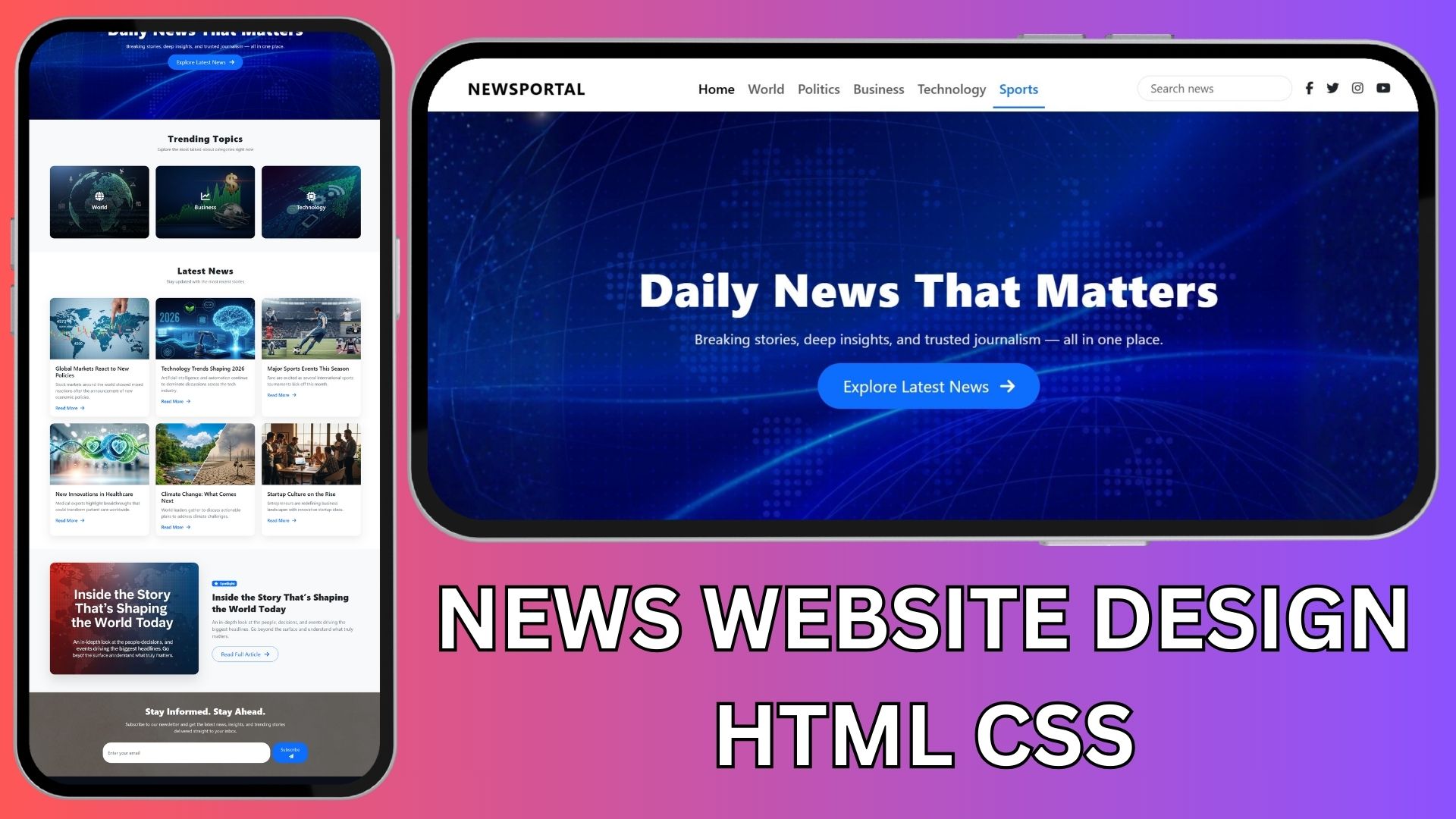
In this tutorial, I’m sharing a complete one-page News Website design built using HTML, CSS, and Bootstrap only. This project is perfect for beginners, students, and anyone who wants to practice modern website layouts without JavaScript.

I’m also providing the exact AI prompt I used to generate the design step by step, plus free source code that you can download and customize.

What You’ll Learn from This Project

  • How a modern news portal layout is structured

  • How to use Bootstrap for responsive design

  • How to add Font Awesome icons for social links and UI elements

  • How to use CSS animations to make a website feel modern

  • How to keep HTML and CSS clean and separate

Website Sections Included

This one-page News website includes the following sections:

  • Header with navigation menu, search bar, and social icons

  • Hero section with website title, tagline, and CTA button

  • Featured categories / trending topics

  • Latest news section with cards

  • Featured article / spotlight section

  • Newsletter signup section

  • Footer with quick links and social media icons

All sections are fully responsive and mobile-friendly.

AI Prompt Used to Generate the Website

You can use the prompt below in ChatGPT or any AI coding assistant to generate the website section by section.

Hello, I want to design a modern, visually attractive one-page NEWS website using HTML, CSS, and Bootstrap only.

The website should feel clean, stylish, professional, and suitable for a news portal with sections for latest news, featured articles, and trending topics.

Additional Requirements:

Use Font Awesome icons wherever needed (for social links, categories, buttons, etc.).

Include animations to make the website interactive and modern (hover effects, fade-ins, slide-ins, scroll animations).

Technical Requirements:

Use only HTML, CSS, and Bootstrap

Keep HTML and CSS in separate files

Ensure the layout is fully responsive for all devices

Use a modern, balanced, and clean design

Use semantic HTML structure only

Image Instructions (Important):

Wherever news or section images are required, add proper <img> tags

Use placeholder image paths such as:
images/hero.jpg

Add short HTML comments only for images, mentioning:

What type of image should be added

Recommended size or aspect ratio

Example:
<!-- Add hero news image here, 1920x800 -->

I will replace all images manually later.

Output Rules (Strict):

Output only pure code

Do not add explanations, comments, or feedback

Do not include any text outside the code

Step-by-Step Delivery Rule (Very Important):

Generate code section by section

Provide only the FIRST section

Stop immediately after the first section

Wait for my instruction before generating the next section

Do not continue automatically

Website Sections (Generate in this exact order):

Header section (Bootstrap navbar with logo, menu links, search bar, social icons using Font Awesome)

Hero section (website name, short tagline, CTA button, background image, optional animated headline)

Featured Categories / Trending Topics

Latest News section (6 news items with image, title, short description, read more button)

Featured Article / Spotlight section

Newsletter Signup / Call To Action section

Footer (social icons, copyright, quick links)

Follow all rules strictly. Now provide first section code.


Source Code (Free)

I’m providing the complete source code for this News website, including:

  • index.html

  • style.css

  • Proper Bootstrap structure

  • Font Awesome integration

  • Placeholder images (you can replace them easily)

👉 Download the source code 

Who Is This Project For?

  • HTML & CSS beginners

  • Students working on practice projects

  • YouTube learners

  • Anyone building a simple news or blog website

Final Words

This project is a great way to understand how modern news websites are designed using simple tools. Try changing colors, fonts, animations, or section layouts to make it your own.

If you found this helpful, don’t forget to share it and bookmark it for later 🚀

Happy coding! 💻✨
Share with friends:
Scroll to Top